
Live patient queue
Fewer “how much longer?” questions. A clearer waiting room.
Your staff update the live queue from the front desk. Patients see who is being called and who is next on the waiting-room TV, so fewer of them need to come and ask.
Works with Android TV or Google TV (Android 7.0+) and compatible Fire TV Sticks and Cubes. Check supported devices
Try the live queue for 14 days. No subscription fee during the trial.
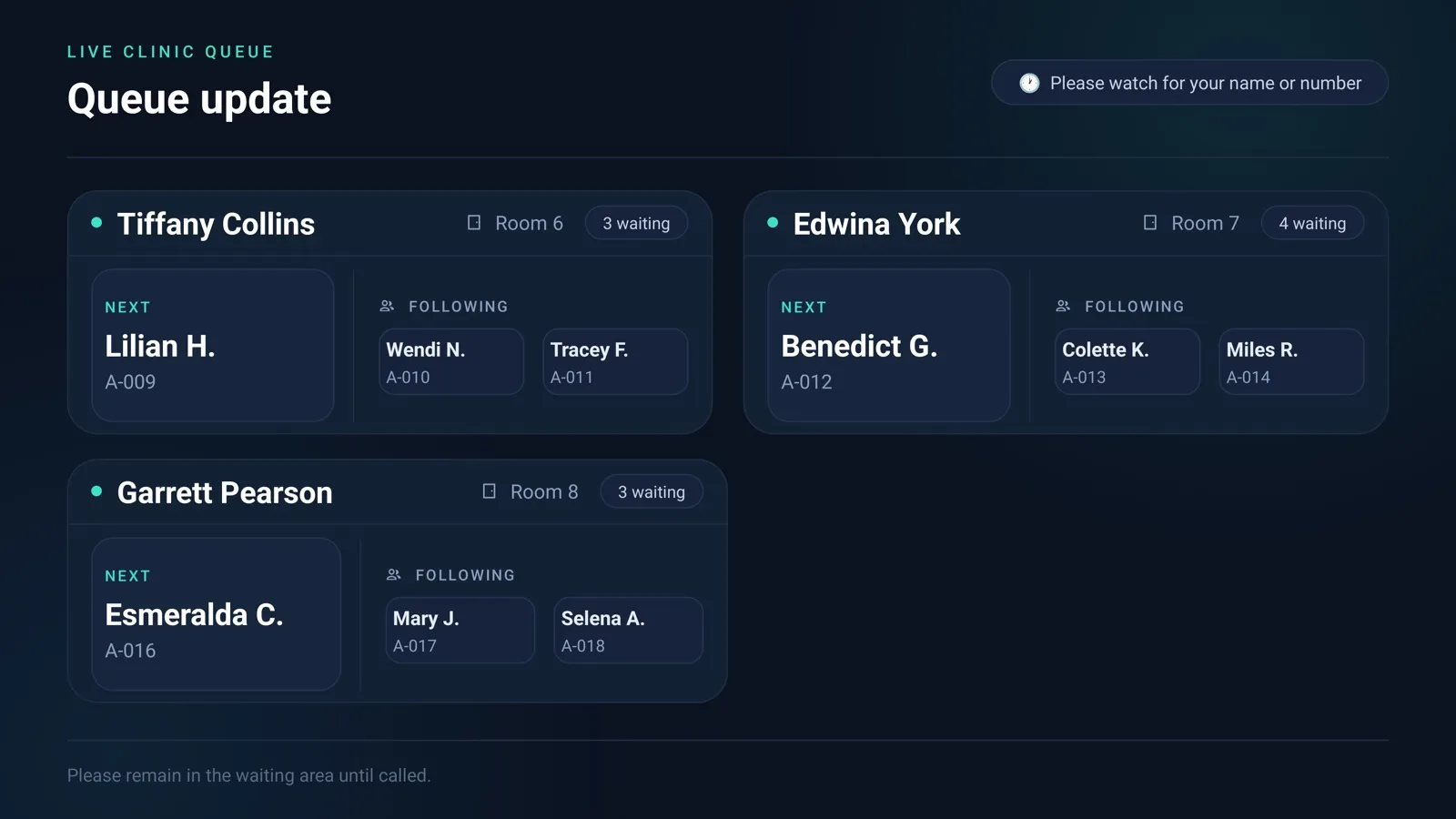
Update it at the desk. Patients see it on the screen.
Three steps, with no extra hardware at reception.
Reception checks patients in and calls the next one
From the Queue page on any computer or phone, staff add each arrival to a doctor or room and press Call next when the room is ready.
The waiting-room screen updates by itself
Queue-enabled screens receive the change within seconds. Nobody touches the TV, and the queue appears alongside your normal playlist.
Patients see who is being called and who is next
A Now Calling card shows the name or ticket and room, with an optional spoken announcement. Show full names, initials or ticket numbers only.
Try it: press Call next and watch the screen change.
Dr. Ellis
Room 2
Now calling
Room is ready
Next up
Sam K. · A-021
Demo with fictional patients. Real screens use your clinic's layout and branding.
Live clinic queue
Dr. Ellis · Room 2
Next: Sam K. · A-021
Please watch for your name or number
Manage the rest of your waiting-room screen from the same dashboard.
Playlists
Images, videos and slides in the order you choose, on one screen or many.
Clinic announcements
Opening hours, holiday closures and new services, updated from the dashboard.
Health tips
Build your own slides from ready-made templates, or upload what you already have.
News and weather
A news ticker from sources you approve, plus local weather and a clock.
Use the TV you already have.
Install the Venubee app, enter the code it shows in your dashboard, and the screen is connected. No proprietary hardware, just an internet connection.
Android TV
Android TV or Google TV running Android 7.0 (API 24) or later, either built into the TV or as a streaming device connected by HDMI.
Venubee on Google Play (opens in a new tab)Fire TV Stick or Cube
A compatible Amazon Fire TV Stick or Fire TV Cube plugged into any TV or monitor with an HDMI port.
Venubee on the Amazon Appstore (opens in a new tab)Browser display
No TV app needed. Any screen connected to a computer with a modern web browser. Start it from the dashboard and make the window full screen.
Unsure which Fire TV Stick or Cube you have? Check the model list.
14-day trial
Try the live queue for 14 days.
Create your account in a couple of minutes and set up your first screen the same day.
What you can try
- The live queue: check-in, Call next, recall, no-show and spoken announcements
- Playlists, announcements, templates, news ticker and weather
- Up to 2 TV screens, plus a browser display
- Your whole front-desk team, with no subscription fee during the trial
After 14 days
Choose a paid plan to keep using the live queue. It's included from the Starter plan upward; the Free plan doesn't include it. Prices for your country are on the pricing page.